Business Structure Comparison: LLC, S-Corp, C-Corp & More
August 17, 2026
QuickBooks Online Year-End Reconciliation | FSMC
October 15, 2026
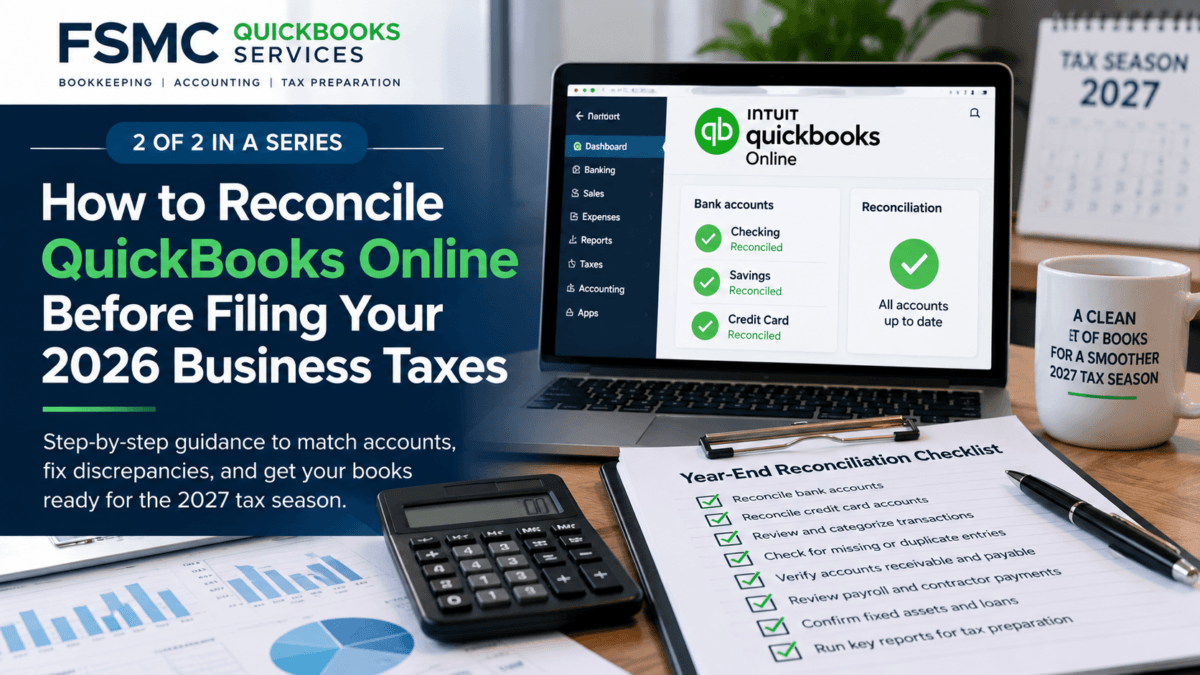
As a business owner, ensuring your financial records are accurate is critical, especially as we approach the 2026 tax season. The QuickBooks Online year-end reconciliation process is an essential step in preparing your financial information for your tax preparer. By following these actionable steps, you can streamline your bookkeeping efforts and ensure that your records are in order before you file your taxes in 2027.
Understanding the Importance of Year-End Reconciliation
Year-end reconciliation helps determine if your books accurately reflect your bank or credit card statements. This process validates your financial status, ensuring that all transactions are accounted for. An error in these records could lead to discrepancies on your tax returns, potentially resulting in audits or penalties. Using QuickBooks Online makes this process simpler and more efficient.
Step-by-Step QuickBooks Online Year-End Reconciliation Process
Here are the steps to reconcile your accounts effectively:
1. Prepare Your Financial Statements
Start by generating your year-end financial statements in QuickBooks Online. These should include your Profit and Loss statement and Balance Sheet. Having these documents ready will help you verify amounts during reconciliation.
2. Gather Bank and Credit Card Statements
Collect all bank and credit card statements up to December 31, 2026. Ensure that you have access to statements for both checking and savings accounts, as well as any credit accounts used for business expenses.
3. Open the Reconciliation Window
In QuickBooks Online, navigate to the “Accounting” menu and select “Reconcile.” Choose the bank account you want to reconcile and enter the statement date and the ending balance from your bank statement.
4. Review Your Register Against Statements
Check each transaction in your QuickBooks Online register against the bank and credit card statements:
- Identify any missing transactions and add them.
- Look for duplicate entries and resolve these by deleting or merging transactions as appropriate.
5. Examine Undeposited Funds
Take note of any undeposited funds. These are amounts you’ve received but have not yet deposited into the bank. Make sure these are accurately reflected in your QuickBooks account.
6. Investigate Uncleared Transactions
Review any uncleared items. If you find transactions that don’t match your statements, verify why they remain uncleared. Perhaps they were paid late or are still in the process of being posted.
7. Check Opening Balances
Check that your opening balances match your prior reconciled period. Ensure that you do not make adjustments to these balances without consulting your accountant or bookkeeper first.
8. Resolve Discrepancies
If you encounter discrepancies, investigate rather than forcing adjustments. This discrepancy investigation may include checking for:
- Data entry errors
- Bank fees not recorded
- Missing receipts or invoices
Maintaining accurate records will safeguard against future anomalies.
9. Run Financial Reports
Export financial reports to have a complete overview of your financial situation. Review these to make sure everything appears correct before submitting them to your tax preparer.
Final Steps: Completing Your Reconciliation
After you have carried out all the above steps, you should now see the “Difference” in the reconciliation window be zero. This confirms that your bookkeeping and financial records are aligned. If they’re not, revisit earlier steps to identify any remaining issues.
Preparing to Work with Your Tax Professional
With your accounts reconciled, you are better equipped to provide your tax preparer with accurate, organized records. Clear and precise bookkeeping simplifies tax preparation, making the process smoother for both parties.
If you need assistance managing your year-end reconciliation or your overall bookkeeping process, consider reaching out to professionals.
Why Choose FSMC Bookkeeping Services
At FSMC Bookkeeping Services, we specialize in helping small business owners navigate their bookkeeping and accounting needs. Our expertise in QuickBooks Online means we can assist you in creating effective workflows, organizing your financial records, and ensuring that your business is tax-ready.
Conclusion
Completing your QuickBooks Online year-end reconciliation effectively can significantly ease the tax preparation process. By maintaining organized and accurate financial records, you’ll streamline your business operations, making it easier to focus on growth and expansion.
If you’d like to explore how FSMC Bookkeeping Services can support your business’s bookkeeping and accounting needs, we invite you to visit us at FSMC Bookkeeping Services.
#Bookkeeping #TaxPreparation #QuickBooksOnline #SmallBusiness #Accounting #YearEndChecklist #BusinessTaxes #BookkeepingTips #TaxSeason #FinancialOrganization